

TL;DR:
- Virtual doctor visits offer convenient, same-day healthcare without in-office wait times.
- Preparation includes device setup, medical info, and testing camera and microphone beforehand.
- They are ideal for non-emergency conditions, but some limitations require in-person follow-up.
Missing a morning of work because the urgent care lobby is packed with 20 people ahead of you is one of those frustrations that feels completely avoidable. And honestly, for most routine health concerns, it is. Virtual doctor visits let you connect with a licensed provider from your couch, your car, or your lunch break, without sitting in a waiting room or navigating a maze of insurance paperwork. This guide walks you through exactly what to expect, from getting your setup ready to filling your prescription, so your first virtual visit feels straightforward and stress-free.
Table of Contents
- What you need before your virtual doctor visit
- Step-by-step walkthrough of a virtual doctor visit
- Common troubleshooting and pitfalls to avoid
- What to expect after your virtual visit
- What most guides miss about virtual doctor visits
- Get the most from your virtual care experience
- Frequently asked questions
Key Takeaways
| Point | Details |
|---|---|
| Easy preparation checklist | Have your device, internet, symptoms, and medical info ready for a smooth virtual visit. |
| Step-by-step process | Follow a structured sequence from scheduling to post-visit summary to make the most of your telehealth appointment. |
| Know telehealth’s limits | Virtual care is safe and affordable for most routine needs, but recognize when in-person visits are required. |
| Affordable care options | Telehealth offers transparent, upfront pricing—ideal for uninsured or cost-conscious patients. |
What you need before your virtual doctor visit
Now that you know the benefits, let’s make sure you’re set up for a seamless experience. A little preparation goes a long way, and most of what you need is probably already on hand.
Technical requirements
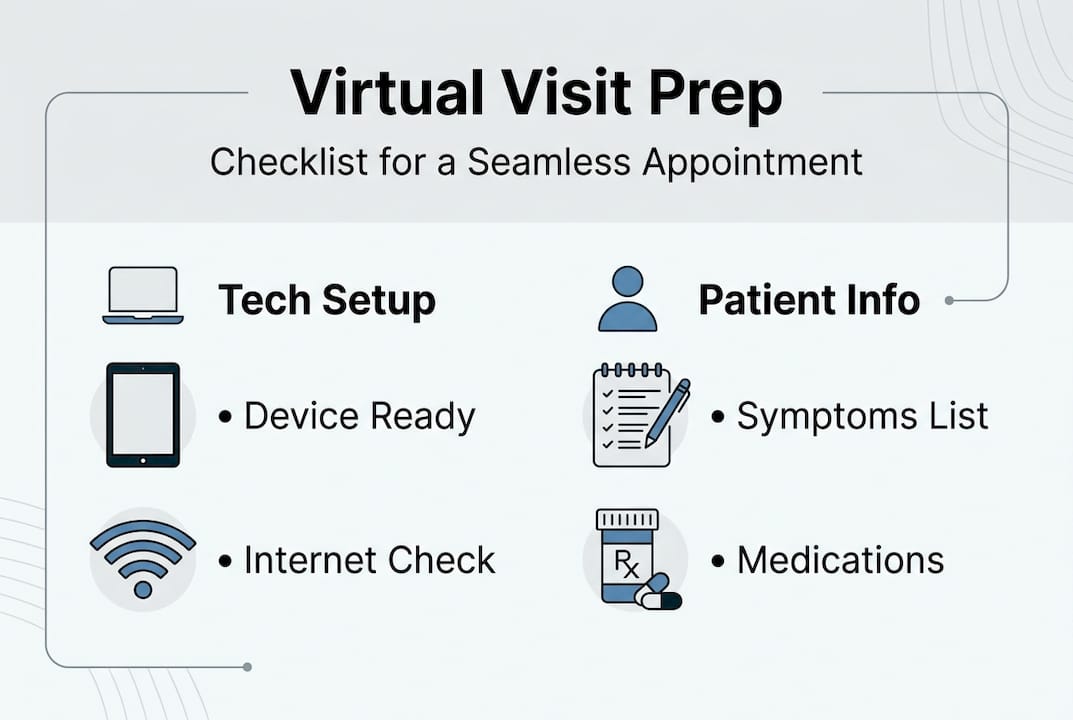
You’ll need a device with a working camera and microphone, a stable internet connection, and a quiet, well-lit space. HIPAA-secure platforms, stable internet, camera and microphone are standard requirements for telehealth visits, with a minimum of 5 Mbps recommended. Most platforms run directly in your browser, so there’s no app download needed. Still, it’s worth checking your browser permissions for camera and mic access before your session starts.
Personal and medical preparation
Before you log in, gather these items:
- A list of your current symptoms, including when they started
- Your recent medical history and any known allergies
- Current medications and dosages
- Your insurance information or a decision to pay cash (many platforms, including those offering telehealth without insurance, have transparent flat-rate pricing)
- A government-issued ID for verification
Knowing what you want to discuss helps you get more out of the visit. Think about it like a short briefing: the clearer you are, the faster your provider can help. You can also review preparing for a telehealth visit for a practical checklist from a trusted source.

Pro Tip: Run a quick camera and microphone test 24 hours before your appointment so you’re not troubleshooting right before your visit starts.
| Requirement | Details |
|---|---|
| Device | Smartphone, tablet, or computer with camera and mic |
| Internet speed | 5 Mbps minimum, wired or strong Wi-Fi preferred |
| Software | Browser-based or platform app (check in advance) |
| Environment | Quiet, private, well-lit space |
| Medical info | Symptom list, medications, allergies, medical history |
| Payment/ID | Insurance card or cash-pay option, valid photo ID |
Understanding the benefits of telemedicine can also help you feel more confident walking into your first visit.
Step-by-step walkthrough of a virtual doctor visit
With your setup ready, here’s exactly what to expect at every stage of your virtual doctor visit.
- Schedule your appointment. Choose a platform and select a time slot. Many services offer same-day or next-day availability, which is one of the biggest practical advantages over traditional office visits.
- Complete pre-visit forms. Once booked, you’ll receive a link to fill out intake forms covering your symptoms, health history, and pharmacy preference. Take 5 to 10 minutes to do this carefully.
- Log in early. Virtual visits typically last 15 to 20 minutes, and logging in 10 to 15 minutes before your appointment is standard practice. This gives you time to verify your identity, test your connection, and resolve any tech issues without cutting into your actual visit.
- The visit itself. Your provider will greet you, review your forms, and ask follow-up questions. If your symptoms are visible (like a rash or swelling), you’ll be asked to show the camera. Ask your questions freely. This is your time.
- Wrap-up. The provider will summarize their findings, discuss a treatment plan, and send any e-prescriptions to your pharmacy of choice. You’ll also receive a visit summary and follow-up instructions.
Important reminder: Virtual care is not for emergencies. If you’re experiencing chest pain, difficulty breathing, or a serious injury, call 911 or go to your nearest emergency room.
You can learn more about how virtual healthcare works and explore common virtual care treatments to know what conditions are well-suited for this format.
| Step | Virtual visit | In-person visit |
|---|---|---|
| Scheduling | Same-day, online | Days to weeks out |
| Wait time | Minutes | 30 to 90+ minutes |
| Travel | None | Required |
| Privacy | Home environment | Shared waiting room |
| Prescriptions | E-prescription sent directly | Paper or electronic |
Understanding when to use virtual care is key to making sure you get the right level of attention for your specific concern.
Common troubleshooting and pitfalls to avoid
Although most visits go smoothly, even the most prepared patients can run into occasional obstacles. Knowing what to watch for makes a big difference.
Top tech problems and fixes:
- Poor internet connection: Move closer to your router or switch to a wired connection if possible.
- Muted microphone: Check your browser and device settings before the visit begins.
- Missing device permissions: Make sure your browser is allowed to access your camera and microphone. This is a common sticking point that’s easy to fix in your device settings.
- Platform not loading: Try a different browser (Chrome and Firefox tend to be most reliable) or clear your browser cache.
Medical limitations to keep in mind:
Not every condition can be assessed virtually. Physical exams, imaging, and lab work still require an in-person visit. 13 to 16% of virtual diagnoses may be inaccurate because some conditions genuinely need hands-on evaluation. This isn’t a reason to avoid virtual care; it’s a reason to stay engaged and honest with your provider about all your symptoms.
Cross-state licensing:
Not every provider is licensed in every state. Make sure the platform you choose operates in your state and confirm this when booking.
Accessibility needs:
If you need captions, a sign language interpreter, or language support, request these features when scheduling. Most platforms can accommodate these needs with advance notice.
Pro Tip: Save your provider’s support phone number before the visit starts. If you drop off mid-call, you’ll have an immediate way to reconnect.
For a broader view of what works and what doesn’t, check out the virtual healthcare pros and cons to make a well-rounded decision. A review of telehealth limitations from Harvard Health is also worth a read.
What to expect after your virtual visit
Once your appointment ends, knowing your next steps helps you get the most out of your virtual care experience.
Immediately after the visit:
- Download your visit summary. Most platforms make this available within minutes. Keep it on file for your personal health records.
- Check your pharmacy. If your provider sent an e-prescription, your pharmacy will likely have it ready within a few hours. Call ahead if you have any questions about the medication or dosage.
- Review follow-up instructions. Your summary will include guidance on what to monitor, when to seek further care, and any lifestyle adjustments recommended.
- Schedule a follow-up if needed. Many conditions benefit from a second check-in within a few days, and virtual platforms make this quick and easy.
“83% of patients plan to continue using virtual care after the pandemic, citing convenience as the top reason.”
Virtual care also reduces the burden of repeat visits: telehealth reduces follow-up needs by 23%, and most patients save $400 or more per visit compared to seeing someone in person. That’s meaningful savings if you’re paying out of pocket.
For more detail on stretching your healthcare budget, explore affordable care after your visit and review what telehealth ROI data reveals about long-term cost savings.
Questions to ask before ending your session:
- What symptoms should I watch for that would require an ER visit?
- Is this prescription the first line of treatment, or is there an alternative?
- When should I follow up if things don’t improve?
- Is there anything I can do at home to support my recovery?
- Do you need to see me in person at any point?
What most guides miss about virtual doctor visits
Stepping back, let’s discuss what virtual doctor visits truly mean for your long-term health and finances. Most people think of a virtual visit as a quick video call to get a prescription. That framing sells the whole concept short.
The real value is in access. For people without insurance, for those in rural areas, or for anyone whose schedule simply doesn’t allow a half-day disruption, telehealth shines for non-emergency and chronic care while having clear diagnostic limits. It’s not magic, and it doesn’t replace everything.
But here’s what often gets overlooked: using virtual and in-person care together is actually more effective than relying on just one. Virtual visits are ideal for monitoring a chronic condition, getting a second opinion, or managing something simple like a sinus infection. In-person visits are best for physicals, lab work, and anything that needs hands-on attention. Combining both, thoughtfully, is the smarter healthcare strategy.
Pro Tip: Request a visit summary every single time, no exceptions. This creates a running record of your care history that any future provider (virtual or in-person) can use to serve you better.
If you’re still figuring out where virtual care fits for your situation, the urgent care without insurance guide lays out your options clearly.
Get the most from your virtual care experience
Ready for your own streamlined health experience? Here’s where to take the next step.
With Chameleon Healthcare, you can connect with a licensed provider the same day, without navigating insurance or sitting in a waiting room. The pricing is transparent, the process is simple, and care is available for dozens of everyday conditions.
Explore virtual care plans to find the option that fits your life and budget. Whether you’re dealing with sprains and strains after a tough workout or managing heartburn and reflux that keeps flaring up, Chameleon has you covered. Your next visit is just a few clicks away, and it can happen today.
Frequently asked questions
How do I choose the right platform for a virtual doctor visit?
Look for platforms with clear pricing, verified providers, strong privacy standards, and patient reviews. Many offer same-day appointments with no insurance required, and HIPAA-compliant platforms are the federal standard for telehealth security.
What if I need a prescription after my virtual appointment?
Most providers can send e-prescriptions directly to your local pharmacy, making the process fast and paperless. Your provider will also let you know if an in-person pickup or additional step is needed.
Can I use virtual doctor visits if I don’t have insurance?
Yes. Many platforms offer affordable cash-pay rates with transparent pricing for uninsured patients, so you can see a provider quickly without worrying about coverage or unexpected bills.
What happens if my condition can’t be treated virtually?
Your provider will let you know if in-person care is the right next step and can help direct you to the appropriate clinic or emergency room. 13% of virtual diagnoses may be inaccurate, which is why knowing when to escalate care matters.
Are virtual visits private and secure?
Yes. Reputable telehealth platforms are federally regulated for security and HIPAA-compliant, meaning your personal and medical information is encrypted and protected throughout your visit.