
TL;DR:
- Same day online care offers a quick, affordable, and accessible alternative for non-emergency medical needs without insurance.
- Preparation, choosing a reputable platform, and understanding when urgent in-person care is necessary can maximize your experience and safety.
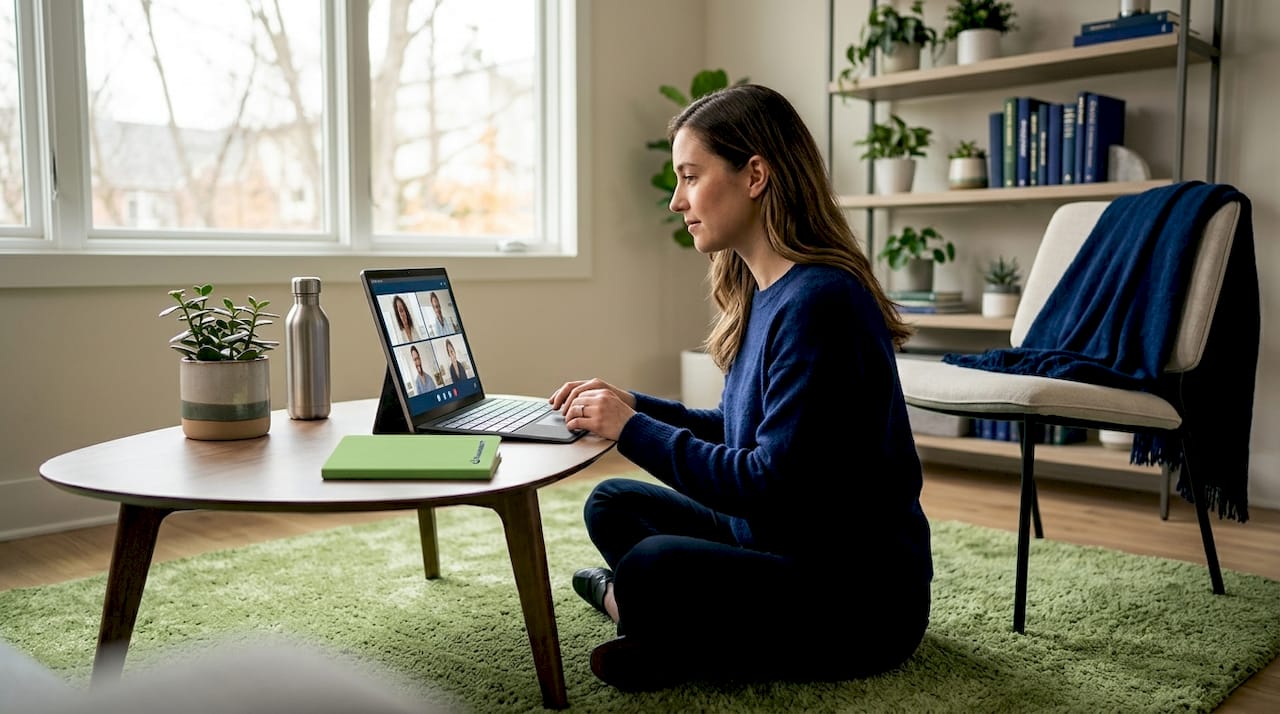
Needing medical attention fast, without insurance, can bring on a wave of stress. You might be a busy parent trying to manage a child’s fever before the weekend, or a professional who cannot afford to take half a day off for a waiting room visit. The good news is that same day online care has genuinely changed what’s possible. Telehealth options are more accessible than ever, offering evening and weekend appointments from your phone at a fraction of the cost of an urgent care visit. This guide walks you through every step so you can get the care you need, today, with confidence.
Table of Contents
- What you need before you start
- Step-by-step: How to get same day online care
- When same day online care is not enough: Red flags and next steps
- After your visit: What to expect and how to follow up
- What most people miss about same day online care
- Get affordable, same day online care now
- Frequently asked questions
Key Takeaways
| Point | Details |
|---|---|
| Prepare in advance | Having the right tools and information speeds up your online visit and improves your care. |
| Follow step-by-step process | Booking and attending a same day online care session is simple with the right platform and preparation. |
| Know your limits | Online care is best for non-emergencies—seek in-person help for serious symptoms. |
| Maximize your outcome | Carefully follow up on your provider’s instructions and keep records for future health needs. |
What you need before you start
Once you know same day online care is an option, gathering the right tools and information will make everything smoother. Think of this as your pre-visit checklist. A little preparation up front saves real time when you are already not feeling well.
Your basic setup checklist
You do not need a lot, but these items are essential:
- A device with a working camera and microphone. A smartphone, tablet, or laptop all work. Most video visits take less than 15 minutes, so your device just needs to stay connected.
- A stable internet connection. A strong Wi-Fi signal is ideal. Spotty connections can interrupt video calls and delay your care.
- A valid photo ID. Most platforms require identity verification before your first visit.
- A payment method. Credit or debit cards are standard. Some platforms offer payment plans or membership pricing for uninsured patients.
- A symptom list. Jot down when symptoms started, how severe they are, and any medications you are already taking. This helps your provider give accurate, personalized advice quickly.
Having these items ready before you log on is the simplest way to avoid delays. It also helps you feel more in control, especially when you are dealing with discomfort.
Choosing the right platform
Platform reputation matters. The benefits of virtual visits are only as good as the provider delivering them. Look for licensed clinicians, transparent pricing, and clear privacy practices. Established telehealth services have visible credentials, readable terms, and responsive support. If a platform is vague about who is treating you or what you will pay, that is a signal to keep looking.
Understanding your affordable urgent care options before you need them means you are never starting from zero in a stressful moment. Bookmark a platform that fits your needs now.
Quick comparison: what to look for in a telehealth platform
| Feature | What to look for | Why it matters |
|---|---|---|
| Licensed providers | State-licensed MDs or NPs | Ensures legal, safe care |
| Transparent pricing | Flat fees listed upfront | Avoids billing surprises |
| Same day availability | “See a provider now” option | Fits your timeline |
| E-prescription capability | Sends directly to pharmacy | No extra trips needed |
| Visit summary provided | Written follow-up after visit | Keeps you informed |
Pro Tip: Write down two or three specific questions before your visit. Providers appreciate focused patients, and you are more likely to walk away satisfied when you have not forgotten anything important.
Step-by-step: How to get same day online care
Once everything is prepared, follow these exact steps to see a clinician online today. The process is more straightforward than most people expect, and most visits can be completed in under 30 minutes from start to finish.
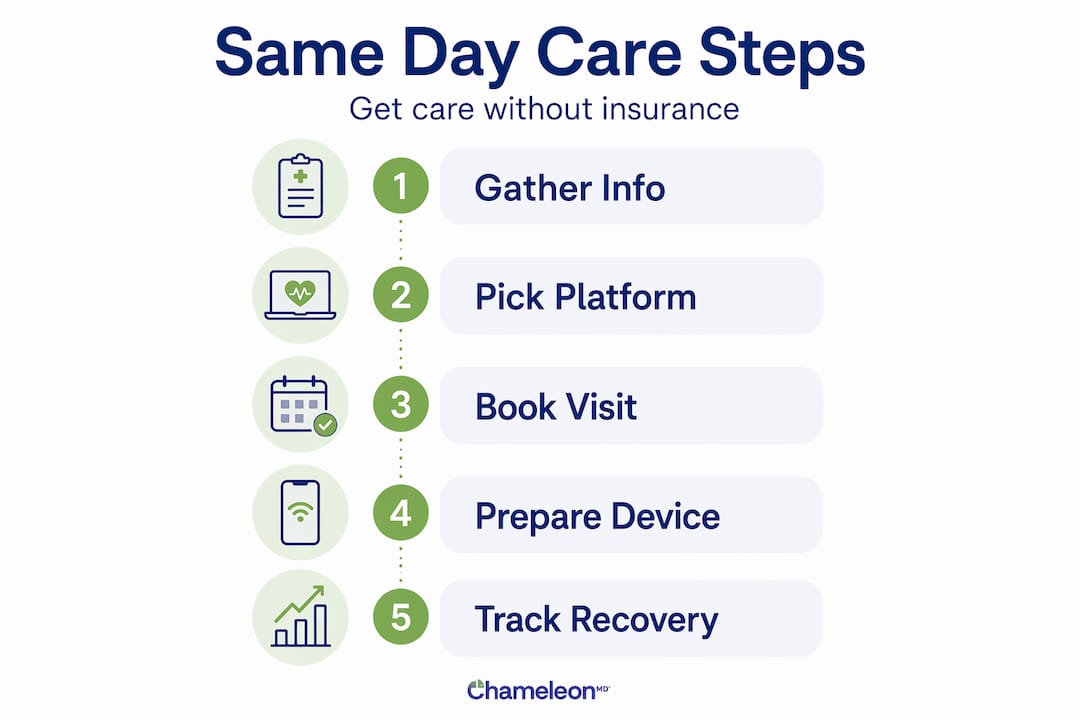
The process, step by step
-
Choose a reputable telehealth platform. Look for one that specifically offers same day or on-demand appointments. Platforms like these make immediate appointments available for common conditions every day of the week. Check that your state is covered and that the service treats your specific concern.
-
Create your account. This typically takes about five minutes. You will enter your name, date of birth, a valid ID, and your payment details. Some platforms also ask for a brief health history, including current medications and known allergies. Having your symptom list ready here makes this step fast.
-
Select the earliest available appointment. Look for options labeled “see a provider now,” “on-demand,” or “today’s appointments.” Many platforms offer real-time slots within the hour. If you want to make sure your spot is confirmed, book as early in the day as possible.
-
Complete the video or phone visit. When your appointment time arrives, a licensed provider will connect with you. Describe your symptoms clearly and answer their follow-up questions honestly. If you have taken any medications already, mention that too. Most visits for common conditions like sinus infections, sore throats, rashes, or urinary tract infections take 10 to 20 minutes.
-
Receive your care plan and any prescriptions. After your visit, your provider will outline a care plan. If medication is needed, an e-prescription is sent electronically to a pharmacy of your choice. You can often have it filled within the hour. You will also receive a written visit summary.
-
Read your instructions and ask any remaining questions. Most platforms have a portal or messaging feature where you can follow up. Use it if something is unclear.
Knowing how telehealth without insurance actually works removes the mystery. Many uninsured patients are surprised to find the experience is smoother than an in-person visit.
Visit type comparison
| Visit type | Avg. wait time | Prescription available | Cost without insurance |
|---|---|---|---|
| Online telehealth | Under 1 hour | Yes, electronically | $50 to $100 |
| Urgent care clinic | 1 to 3 hours | Yes, in-person | $150 to $250+ |
| Primary care office | Days to weeks | Yes | $100 to $200+ |
| Emergency room | 2 to 6+ hours | Yes | $500 to $3,000+ |
These numbers reinforce why online care has become the go-to choice for non-emergency issues. Use our scheduling tips to lock in your preferred time before the weekend rush.
Pro Tip: Log on early in the morning or right when appointments open. Just like restaurant reservations, same day slots fill up. Early birds consistently get more choices and shorter waits.
Before your appointment, review our urgent care checklist to make sure you have not missed anything.
When same day online care is not enough: Red flags and next steps
Sometimes, online care just is not enough. Knowing the warning signs that require in-person or emergency evaluation is not about alarming you. It is about keeping you safe.
Important: If you are ever unsure whether your symptoms are an emergency, trust your instincts and go to the ER. No telehealth visit is worth delaying care for a life-threatening condition.
Symptoms that require the ER, not a screen
Telehealth works well for a long list of conditions, but some symptoms require immediate attention that a remote provider simply cannot provide. Go to an emergency room or call 911 if you experience any of the following:
- Chest pain or pressure, especially if it spreads to your arm or jaw
- Shortness of breath or difficulty breathing
- Signs of stroke: sudden facial drooping, arm weakness, or slurred speech
- Severe abdominal pain that comes on suddenly
- High fever in a newborn or infant under three months
- Deep wounds that may require stitches or involve significant blood loss
- Head injuries with confusion, vomiting, or loss of consciousness
- Allergic reactions with throat tightening or swelling
- Seizures, especially in someone without a prior diagnosis
- Severe burns or injuries from accidents
Why telehealth cannot replace all care
Online providers are skilled and thorough, but they work without the ability to physically examine you. They cannot order an X-ray, run an EKG, or perform a procedure. For complex, rapidly changing, or severe symptoms, those tools are not optional. They are necessary.
If you are uncertain whether your symptoms cross the line, most telehealth platforms have a nurse helpline or symptom checker you can use to get a quick second opinion before booking. Understanding the difference between urgent care vs. the ER helps you make faster, safer decisions when it counts.
After your visit: What to expect and how to follow up
Completing your visit is just the beginning. What you do next matters just as much as the visit itself. Many patients feel better once they have spoken to a provider, but following through on the care plan is what leads to actual recovery.
What you will receive after your visit
Established telehealth platforms typically provide a written visit summary along with follow-up instructions. Here is what most patients can expect:
- A visit summary. This document outlines your symptoms, the provider’s assessment, and the diagnosis if one was made. Keep this for your records.
- A care plan. This includes specific recommendations like rest, hydration, over-the-counter remedies, or prescribed treatments. Follow these steps in order of priority.
- An e-prescription, if applicable. Your provider sends this directly to a pharmacy. Confirm the pharmacy location when booking your visit so there are no mix-ups.
- Instructions for follow-up. Most summaries include guidance on when to seek additional care if symptoms worsen or persist. Pay attention to these timelines.
Asking questions after the fact
Most platforms have a secure messaging feature or patient portal. Use it. If you get home and realize you did not understand part of your care plan, send a message. Providers would rather answer a clarifying question than have a patient skip their medication because the instructions were unclear.
Tracking your recovery
Keep a simple log of your symptoms for two to three days after your visit. Note whether things are improving, staying the same, or getting worse. If you are prescribed antibiotics, remember that many do not produce noticeable improvement for 48 to 72 hours. That is normal. What is not normal is feeling significantly worse while on treatment. In that case, reach out.
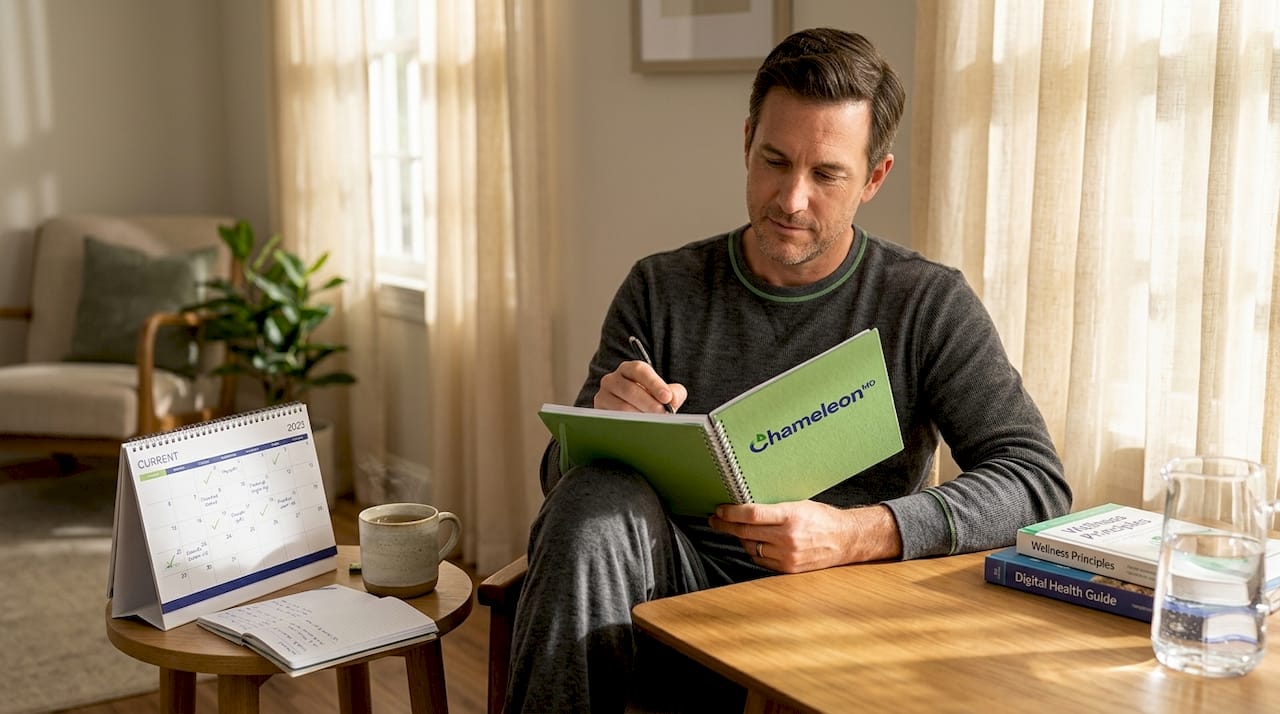
Understanding what a visit looks like in practice is especially valuable for parents. Learn more about how same day doctor visits online work when you are managing care for your whole family.
Pro Tip: Create a digital folder on your phone labeled “Medical Records” and save every visit summary and prescription there. When you see a new provider or need to recall a previous treatment, having that information at your fingertips is surprisingly powerful.
What most people miss about same day online care
With the process made clear, there is something worth addressing that most guides skip over. Same day online care sounds effortless, and in many ways it is. But there is a layer of personal responsibility that comes with it that not everyone anticipates.
Most people think of telehealth as purely reactive. You feel sick, you log on, you get treated. But the patients who get the most value out of online care are the ones who treat it more like a partnership than a transaction. That means preparing before visits, following through on care plans, and being honest about your full health picture even in a 15-minute call.
There is also a misconception that online care is somehow less thorough than in-person care. That is not accurate. A skilled telehealth provider asking the right questions can gather as much clinically relevant information as many in-person visits for common conditions. The difference is that you carry more of the communication load. You are describing what the provider would otherwise see and touch. That makes your symptom descriptions, your medication list, and your honest answers genuinely critical.
For uninsured patients specifically, telehealth levels the playing field in an important way. You are paying directly, which means you are also the customer in the most literal sense. You can ask about pricing upfront. You can request an itemized visit summary. You can ask whether the recommended treatment is the most cost-effective option. These are rights you have, and many patients do not realize they can exercise them. The pros and cons of virtual healthcare make clear that the benefits are real, but maximizing them requires an engaged patient.
One more thing most tech-savvy users overlook: checking your device setup before the appointment starts. A failed camera or a dead battery five minutes into a video call is frustrating and wastes valuable same day slots. Test your camera and microphone at least 10 minutes before your visit begins. It is a small step that makes a real difference.
Get affordable, same day online care now
You have the knowledge. Now you can put it to use. At Chameleon Healthcare, same day access to a licensed provider is built into how the platform works. No waiting rooms, no insurance required, and transparent pricing you can see before you book.
Whether you are dealing with asthma symptoms that have flared up unexpectedly or woke up with pink eye before a big day, Chameleon connects you with a provider who can help, fast. From sore throats to sinus infections to rashes and beyond, care is available today, from your phone or computer. No commute, no frustration, no guessing on cost. Just clear, affordable care when you actually need it.
Frequently asked questions
What types of medical issues can be treated with same day online care?
Most non-emergency conditions including colds, minor infections, rashes, allergies, and urinary tract infections can be treated online affordably the same day, but anything involving severe symptoms or physical injury requires in-person evaluation.
Can I get a prescription during a same day online visit without insurance?
Yes. After your visit, a licensed provider can send a prescription electronically to a pharmacy of your choice, with no insurance needed and no extra steps on your end.
How much does same day online care cost without insurance?
Online visits are significantly cheaper than urgent care for most non-emergency conditions, often ranging from $50 to $100, compared to $150 or more at a walk-in clinic.
Is same day online care available during evenings and weekends?
Yes. Major telehealth platforms offer appointments outside standard office hours, making it genuinely convenient for busy parents and professionals who cannot step away during the workday.
How do I know if my symptoms are serious enough to skip online care?
If you have chest pain, difficulty breathing, signs of stroke, severe bleeding, or a high fever in an infant, skip telehealth and go to the emergency room immediately.