

TL;DR:
- Telehealth for children offers a secure virtual option for routine checkups, medication reviews, and behavioral assessments. Proper preparation and understanding when in-person care is necessary ensure effective and efficient pediatric virtual visits. The home environment enhances observational accuracy, making telehealth a valuable option for many common pediatric concerns.
Telehealth for children is a virtual healthcare visit that connects your child with a licensed provider from home, using a phone, tablet, or computer. Also called telemedicine, it covers a wide range of pediatric needs: routine checkups, medication reviews, behavioral assessments, and follow-ups for common illnesses. Platforms like MyChart and HIPAA-compliant video tools make these visits secure and straightforward. Understanding how to prepare, what to expect, and when to use virtual care gives you real confidence the next time your child needs medical attention.
What does a good guide to telehealth with kids actually cover?
A solid telemedicine guide for parents covers three things: preparation, execution, and knowing when to go in person. Standard pediatric telehealth appointments run 5–15 minutes for routine visits and longer for behavioral or mental health evaluations. That short window means every minute counts. Going in without a plan wastes time and leaves your child’s provider working with incomplete information.
The good news is that virtual doctor visits for kids are genuinely effective when you set them up correctly. Providers can assess symptoms, prescribe medications, and coordinate follow-up care without you ever leaving your living room. The key is treating the appointment with the same seriousness you would give an in-person clinic visit.
How to prepare your child and environment for a virtual visit
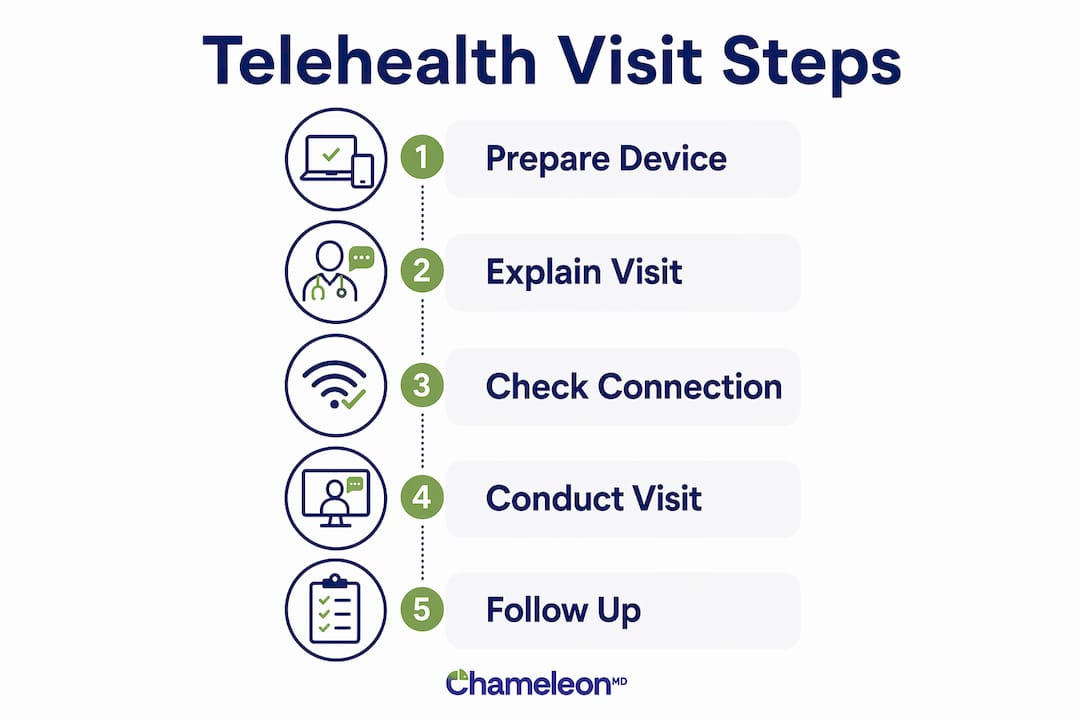
Preparation is the single biggest factor in a smooth telehealth appointment. Start with the technical side at least 15 minutes before the call.
Technical checklist:
- Charge your device fully or keep it plugged in during the visit
- Connect to your home Wi-Fi and position yourself close to the router
- Download or update the required app (MyChart, Zoom for Healthcare, or your provider’s platform)
- Test your camera and microphone before the appointment starts
- Save the provider’s phone number in your contacts in case video fails
Medical supplies to have within reach:
- A current list of your child’s medications and dosages
- Your pharmacy name, address, and phone number
- A thermometer, flashlight, and tongue depressor (or the handle of a clean spoon)
- Clear photos of any rashes, swelling, or visible symptoms taken in good lighting
Successful telehealth workflows include verifying patient identity, running technical checks, and having backup communication plans in place. That is not just provider responsibility. You share it. A device and privacy checklist completed before the visit prevents most technical problems from happening at all.
For younger children, a brief explanation goes a long way. Tell them a doctor is going to talk to you on the screen, just like a video call with grandma. For older kids, let them know they can speak directly to the provider. That small step reduces anxiety and makes the visit more productive.

Pro Tip: Keep a backup device charged and ready. If your primary phone or tablet fails mid-visit, you can rejoin the call within seconds instead of scrambling.
Best practices for conducting the telehealth visit with your child
The appointment itself requires active participation from you. Parents must treat telehealth as a clinical visit, preparing diagnostic tools and documenting the interaction carefully, since recording is typically restricted. Take notes by hand during the call.
One of the most underappreciated benefits of telehealth for parents is the home environment itself. Seeing children in their natural home setting helps providers assess them while they are relaxed, which often produces more accurate observations than a stressful clinic waiting room. Your child’s normal behavior, posture, and surroundings all give the provider useful context.
During the visit, keep these practices in mind:
- Introduce the provider to your child by name and explain what will happen
- Speak slowly and clearly when describing symptoms, and avoid medical jargon
- Use the thermometer, flashlight, or rash photos when the provider asks
- Watch for non-verbal cues from the provider, such as nodding or pausing, and mirror that calm energy for your child
- Write down the diagnosis, any prescribed medications, and the follow-up plan
Building rapport virtually requires deliberate communication, including slower speech, simpler language, and visual cues like nodding. That applies to you as much as the provider. When you stay calm and engaged, your child follows your lead.
Some appointments involve more than one provider. Behavioral or therapy visits may include a psychologist, a care coordinator, or a social worker joining the call. Knowing this in advance prevents confusion. After the visit, log into your patient portal (MyChart or your provider’s equivalent) to review the visit summary, lab orders, or prescription details.
Pro Tip: Ask the provider at the end of the call: “What should I watch for, and when should I call back?” That one question prevents unnecessary worry and clarifies your next steps.
Common technical issues and how to handle them
Technology problems happen. The difference between a derailed appointment and a minor hiccup is having a plan ready before the call starts.
The most common issues during virtual doctor visits for kids include dropped video, audio cutting out, and app crashes. Most of these resolve with a simple device restart and closing background apps before the visit begins. Restarting your router 10 minutes before the appointment also reduces connectivity drops.
- Dropped video: Switch to phone audio immediately. The provider can continue the visit by voice.
- Audio problems: Check that your app has microphone permissions in your phone’s settings.
- App won’t load: Use the browser version of the platform if one exists, or call the provider directly.
- Unknown number calling: If video fails, providers often switch to phone calls. Accept calls from unknown numbers during your appointment window.
A technical failure plan that includes a clearly accessible provider phone number is not optional. Save it before the visit, not during a crisis.
Pro Tip: Keep a small notebook next to you during the call. If you get disconnected suddenly, you will still have the provider’s advice written down and can follow up without losing critical information.
If the technology fails completely and cannot be resolved within a few minutes, call the provider’s office directly. Most practices will reschedule you the same day or complete the visit by phone.
What conditions are suitable for telehealth with kids?
Not every health concern belongs on a video call. Knowing the difference protects your child and saves you time.
Telehealth is appropriate for many acute illnesses, medication reviews, and follow-ups, but not for emergencies or serious physical problems that require hands-on evaluation. Providers generally recommend telehealth for children aged 2 and older. Infants and children with severe or rapidly worsening symptoms need in-person care.
Behavioral and mental health therapy delivered virtually is effective and can be as beneficial as in-person sessions. Evidence supports telehealth for cognitive behavioral therapy and other structured approaches for children. These visits typically run longer than routine medical appointments.
For a quick reference, use this table when deciding whether to book a virtual visit or head to a clinic:
| Condition or situation | Telehealth appropriate? |
|---|---|
| Cold, cough, sore throat, mild fever | Yes |
| Rash with no breathing difficulty | Yes |
| Asthma management and medication review | Yes |
| Behavioral or mental health assessment | Yes (longer visit) |
| Follow-up after a prior diagnosis | Yes |
| Broken bone or suspected fracture | No, go in person |
| Severe breathing difficulty | No, call 911 |
| Infant under 2 years with illness | No, go in person |
| Deep wound or heavy bleeding | No, go in person |
When you are unsure, call your provider’s office first. A quick phone triage takes two minutes and points you in the right direction. You can also review when to use virtual urgent care for a more detailed breakdown of pediatric scenarios.
Key takeaways
Telehealth with kids works best when parents prepare the environment, gather diagnostic tools, and treat the virtual visit with the same focus they would give a clinic appointment.
| Point | Details |
|---|---|
| Prepare before the visit | Charge your device, test audio and video, and gather medications, a thermometer, and symptom photos. |
| Use the home environment | Providers assess children better at home; your child’s relaxed behavior improves diagnostic accuracy. |
| Have a backup plan | Save the provider’s phone number and accept unknown calls in case video drops during the appointment. |
| Know when to go in person | Emergencies, infants under 2, and injuries like fractures always require an in-person visit. |
| Document during the call | Write down the diagnosis, prescriptions, and follow-up steps since recording is typically not permitted. |
My honest take on virtual pediatric care
I have watched a lot of parents walk into telehealth appointments unprepared and walk out frustrated. The technology is not the problem. The mindset is. Most people treat a virtual visit like a casual phone call, and then wonder why they left without clear answers.
The home environment is genuinely one of telehealth’s strongest advantages for kids. A child sitting in their own bedroom, surrounded by familiar things, behaves differently than a child sitting on a crinkly paper exam table under fluorescent lights. Providers notice that. They pick up on things they would miss in a clinic. That is not a consolation prize for skipping the office. It is a real clinical advantage.
The parents who get the most out of these visits are the ones who show up with notes, have their child’s medication list ready, and ask specific questions. They treat the provider’s time as limited and valuable. They also stay calm, because kids read the room. If you are tense about the technology or the diagnosis, your child will be too.
Telehealth is not a replacement for every type of care. But for the conditions it handles well, including follow-ups, behavioral check-ins, and common illnesses, it is often the smarter choice. Less waiting, less disruption to your day, and a child who is actually comfortable enough to tell the doctor how they feel. That combination is hard to beat.
— Vector
How Chameleonhc supports families with pediatric telehealth
Chameleonhc is built for exactly this kind of care. Same-day appointments, clear pricing, and no insurance required mean you can get your child seen without the usual friction.

Whether your child is dealing with a recurring cough, a rash, or ongoing asthma management, Chameleonhc connects you with a licensed provider fast. The platform handles urgent care and primary care in one place, so you are not bouncing between offices. Explore telehealth plans for families and find the option that fits your schedule and budget. Getting your child the care they need should feel straightforward, and with Chameleonhc, it is.
FAQ
What age is appropriate for telehealth visits?
Providers generally recommend telehealth for children aged 2 and older. Infants and children with severe symptoms should be seen in person.
How long does a pediatric telehealth appointment take?
Routine visits typically run 5–15 minutes. Behavioral or mental health evaluations take longer depending on the complexity of the assessment.
What should I have ready before the virtual visit?
Have your child’s medication list, pharmacy information, a thermometer, a flashlight, and any symptom photos ready before the call starts. Reviewing a virtual visit checklist beforehand covers most technical and medical preparation needs.
Is telehealth effective for children’s mental health care?
Yes. Behavioral and mental health therapy delivered virtually is as effective as in-person sessions for many children, including those receiving cognitive behavioral therapy.
What happens if the video connection drops during the visit?
If video fails, your provider will typically switch to a phone call. Save the provider’s number before the appointment and accept calls from unknown numbers during your scheduled window.