

TL;DR:
- Telehealth offers remote, same-day medical care at a lower cost than in-person visits.
- Successful implementation requires basic tech setup, privacy space, and understanding workflow steps.
- Audio-only telehealth and community support improve access for uninsured and low-income users.
You’re juggling work, family, and a packed schedule when a sore throat or sinus infection decides to show up. Traditional doctor visits mean time off work, waiting room hours, and bills that sting even more if you don’t have insurance. Telehealth changes that equation entirely. It puts a licensed provider within reach from your phone or computer, often within the same day, at a fraction of the cost. This guide walks you through exactly how telehealth works, how to set it up, and how to make it a reliable part of your healthcare routine.
Table of Contents
- Understanding telehealth basics and prerequisites
- Step-by-step: The telehealth implementation process
- Workflow and technology integration essentials
- Overcoming common barriers in telehealth implementation
- Measuring, sustaining, and optimizing telehealth success
- What most telehealth guides miss: Practical truths for the cost-conscious
- Take action: Affordable, fast telehealth is within reach
- Frequently asked questions
Key Takeaways
| Point | Details |
|---|---|
| Telehealth is accessible | Simple tech and workflows make telehealth viable for uninsured and busy people alike. |
| Major cost savings | Telehealth can reduce visit costs by up to 94%, making care much more affordable. |
| Barriers can be overcome | Audio-only visits and support for digital skills help bridge the digital divide. |
| Ongoing adjustment is key | Regularly review and tweak your telehealth setup to maximize benefits and usability. |
Understanding telehealth basics and prerequisites
Telehealth means receiving medical care remotely through a phone, tablet, or computer. Instead of driving to a clinic and sitting in a waiting room, you connect with a licensed provider through a video call or phone appointment. It covers a wide range of services, from diagnosing a rash or ear infection to managing prescriptions and follow-ups.
For cost-conscious individuals, the benefits are immediate and concrete. You skip the overhead costs tied to in-person visits, such as facility fees, travel time, and time away from work. If you’re telehealth without insurance, you’ll find that many platforms offer flat, transparent fees that are far easier to budget for than surprise medical bills.
Telehealth implementation follows a structured process, starting with understanding your basic requirements before you ever book an appointment. Here’s a simple checklist to know you’re ready:
- Device: A smartphone, tablet, or computer with a camera and microphone
- Internet: A stable connection of at least 5 Mbps for video; dial-up won’t cut it
- Privacy: A quiet, private space where you can speak freely with a provider
- Platform account: Registration with a telehealth service
- Consent: Readiness to sign a digital consent form before your visit
| Requirement | Minimum standard | Notes |
|---|---|---|
| Device | Smartphone or computer | Tablet works too |
| Internet | 5 Mbps or higher | Audio-only needs less |
| Privacy | Separate room | Headphones help |
| Platform | Registered account | Free to sign up |
| Consent | Digital signature | Completed at check-in |
Research shows that audio-only telehealth has been key for low-income access, with federally qualified health centers (FQHCs) achieving 20% of visits via telehealth after the public health emergency ended. That number matters because it proves telehealth works even when video isn’t possible.
Pro Tip: If your internet connection is slow or unreliable, look for a telehealth platform that supports audio-only appointments. You’ll still get quality care without needing a strong video signal.
Understanding virtual healthcare from the ground up helps you set realistic expectations and choose the right service from the start. Once your basics are in place, you’re ready to move into the actual setup process.
Step-by-step: The telehealth implementation process
With the essentials in place, you’re ready to roll out telehealth. Here’s a streamlined, step-by-step process any practice or individual can follow.
Whether you’re a solo patient getting started or a small care team building a telehealth workflow, the steps are similar. The AMA telehealth playbook outlines a structured approach that includes identifying needs, forming a team, defining success metrics, comparing vendors, and launching with clear protocols. Here’s how that translates into real action:
- Assess your healthcare needs. List the types of conditions you want to address, such as sinus infections, rashes, sore throats, or UTIs. This shapes which platform and provider type you need.
- Form a simple team. For individuals, that might just be you and a trusted family member who helps you navigate new tech. For small practices, it includes admin staff and at least one clinical lead.
- Set clear goals. Ask yourself: what does success look like? Faster access to care? Lower costs per visit? Tracking no-show rates?
- Compare vendors. Look at platforms based on cost, ease of use, audio-only support, and whether they serve uninsured patients. Avoid platforms with hidden fees.
- Map out your workflow. Think through how you’ll schedule, check in, get your visit, and receive follow-up instructions. Platforms like Chameleon Healthcare make this simple with same-day access and clear pricing.
- Run a test appointment. Do a practice run to test your device, audio, and camera before your first real visit.
- Launch and review. After your first few visits, check what worked and what felt clunky. Adjust from there.
You can also look at the pros and cons of virtual healthcare before committing to a platform so you go in fully informed.
The Telehealth.gov planning workflow highlights that key methodologies include workflow redesign, HIPAA compliance (protecting your health information), EHR integration, and ongoing staff or patient training. These aren’t just technical boxes to check. They’re what separates a smooth telehealth experience from a frustrating one.
One standout stat: telehealth can deliver up to 94% cost savings per visit compared to traditional in-person care. That’s not a small difference.
| Step | Effort level | Time to complete |
|---|---|---|
| Assess needs | Low | 30 minutes |
| Compare vendors | Medium | 1 to 2 hours |
| Map workflow | Medium | Half a day |
| Test appointment | Low | 15 minutes |
| Post-launch review | Ongoing | Monthly |
Workflow and technology integration essentials
Once you’ve mapped out your process, real results depend on smooth technology and workflow integration.

Getting telehealth to actually work in your day-to-day life means more than just picking a platform. It means building a repeatable routine around it so you’re not scrambling every time you need care. The Telehealth.gov workflow guide breaks this down into five key phases: scheduling, check-in, consent, the visit itself, and post-visit follow-up.
Here’s a practical checklist to build that workflow:
- Scheduling: Use platforms that allow same-day or next-day booking online, without phone hold times
- Check-in: Complete digital intake forms before your appointment to save time during the visit
- Consent: Sign your digital consent form when prompted, usually during check-in
- Visit type: Confirm whether your appointment is video or audio-only, and have a backup plan if tech fails
- Post-visit: Know how you’ll receive your care summary, prescription, or follow-up instructions
For fast, affordable virtual care, the technology side doesn’t need to be complicated. A basic smartphone and a stable Wi-Fi connection are enough for most common condition visits. Many platforms are optimized to work with older devices, which is especially helpful if you’re not using the latest phone model.
Important: Every telehealth platform you use must comply with HIPAA, which means your health information is protected and kept private. Before you sign up, check that the platform clearly states its data privacy practices. Never use a general video call app like FaceTime or Zoom for medical consultations unless the provider has confirmed it’s covered under a HIPAA-compliant arrangement.
Pro Tip: Set up a templated checklist for each visit, including your symptoms, any medications you’re currently taking, and your pharmacy’s address. Having this ready before every appointment cuts your visit time significantly and helps the provider give you faster, more accurate care.
Good workflow habits also make telehealth more reliable over time. When you repeat the same steps consistently, the whole process becomes second nature, and you spend less time troubleshooting and more time getting the care you need.
Overcoming common barriers in telehealth implementation
With tech in place, it’s critical to address barriers that block access and impact care for those who need telehealth most.
Telehealth sounds simple in theory, but real life gets in the way. The digital divide is a genuine obstacle, with a significant portion of underserved communities lacking device access and even more lacking the digital skills to use telehealth platforms confidently.
Here’s how those barriers show up and what to do about each one:
- No device or internet access: Use free public Wi-Fi at libraries or community centers. Many cities offer low-cost or free broadband programs. Audio-only telehealth eliminates the need for video entirely.
- Low digital literacy: Look for platforms with guided setup, illustrated instructions, and live customer support during business hours. Simple platforms win here over feature-heavy ones.
- Language barriers: Seek services that offer interpreter access or multilingual support. Some telehealth platforms now integrate real-time language interpretation.
- Cultural hesitancy: Some communities, particularly older adults and undocumented individuals, prefer in-person care or are cautious about sharing information digitally. Clear communication about privacy protections helps build trust.
- Connectivity issues during visits: Always have an audio-only fallback option. If your video drops, a phone call to the same provider should still be possible.
Audio-only and FQHC-based models have proven especially effective at expanding telehealth access for uninsured and low-income users. These models don’t require expensive hardware or high-speed internet, making them the most practical entry point for anyone facing access challenges.
Exploring affordable telemedicine options alongside telehealth platform alternatives can help you find the right fit if your first choice doesn’t meet your access needs.
The bottom line: don’t let a missing piece of technology stop you from getting care. Start with the most basic option available and work up from there.
Measuring, sustaining, and optimizing telehealth success
After launching your telehealth service, focus on measuring what works so you can strengthen and sustain access over time.
Getting set up is one thing. Keeping it working well, and keeping costs down, takes a little ongoing attention. Here’s a simple process for tracking your telehealth outcomes:
- Survey your experience after each visit. Was the provider easy to reach? Did you feel heard? Would you use the service again?
- Track your usage rates. How often are you using telehealth vs. going in-person? More telehealth visits generally mean lower costs.
- Review cost savings monthly. Compare what you would have paid for an in-person visit vs. what you actually spent through telehealth.
- Assess follow-up needs. If you’re booking repeat visits for the same issue, the treatment plan may need adjustment. Flag this with your provider.
- Check for policy changes. Telehealth reimbursement and coverage rules shift regularly. Stay informed about payment parity laws in your state, which require insurers to pay equally for telehealth and in-person visits.
Monitoring and sustaining telehealth quality is a built-in step in the AMA’s implementation playbook, and for good reason. Small adjustments over time keep your access reliable and your costs manageable.
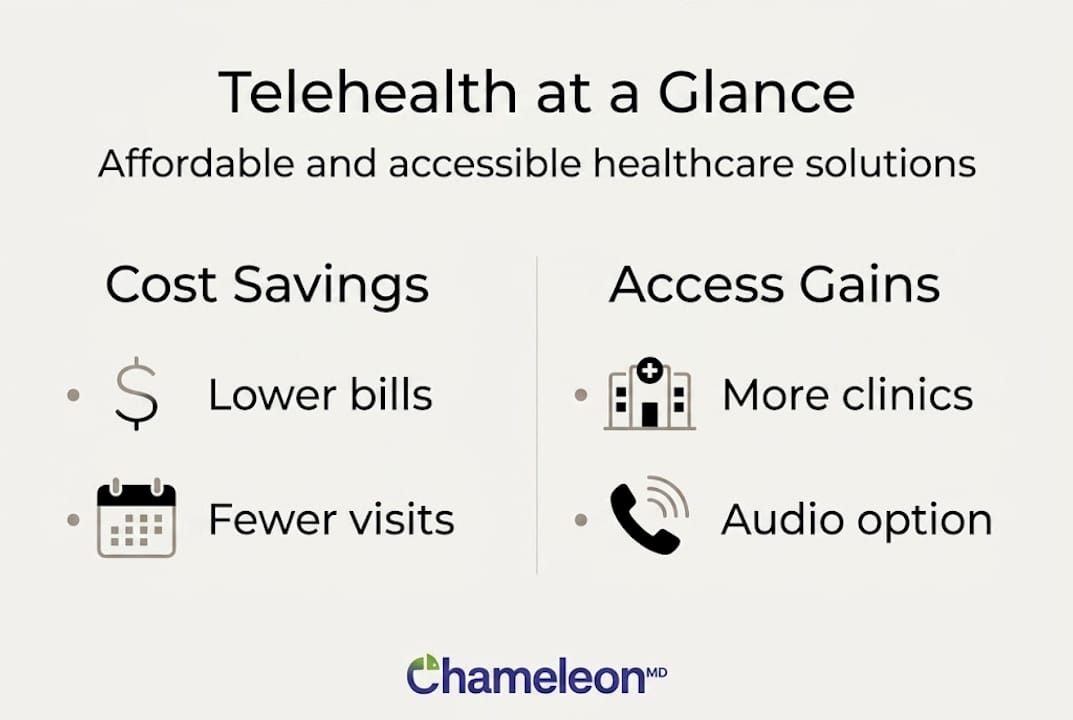
Research on cost outcomes shows up to 94% out-of-pocket savings per visit, though the same study notes that tech glitches and higher return visit rates can reduce net savings if you’re not actively managing them. That means optimization isn’t optional; it’s what keeps the value real.
For help with improving healthcare access over the long term, it helps to think of telehealth as an evolving tool rather than a one-time setup.
| Key performance indicator | What to watch | Action if off track |
|---|---|---|
| Cost per visit | Is it lower than in-person? | Switch platforms if not |
| Wait time | Same-day access available? | Look for faster providers |
| Satisfaction | Did you get clear answers? | Request a different provider |
| Return visits | Are issues resolving? | Ask for adjusted care plan |
| Tech issues | Frequent drops or glitches? | Test audio-only fallback |
What most telehealth guides miss: Practical truths for the cost-conscious
Most guides on telehealth implementation lead with the technology. They talk about HIPAA-compliant platforms, EHR integration, and sophisticated vendor evaluation matrices. Those things matter for large healthcare systems. But if you’re an individual trying to get affordable care fast, or a small practice serving uninsured patients, the real game changer is much simpler.
Start with audio-only. Seriously. The biggest access gains for low-income and uninsured users have come not from high-tech video platforms, but from plain phone calls with licensed providers. Overcomplicated tech is the number one reason people give up on telehealth before they ever complete a visit.
The second overlooked truth is this: digital literacy support matters more than the platform itself. Clear, illustrated instructions, a patient support line, and a forgiving onboarding process can outperform a fancy interface every time. The communities that benefit most from telehealth are often those least equipped to navigate complicated technology.
And here’s a hard truth nobody likes to say out loud: tech glitches will happen, and repeat visits are more common in telehealth than in-person settings. That’s okay. The savings are still substantial, and ongoing tweaks matter far more than getting everything right on day one.
Pro Tip: Start with the simplest possible technology setup and only add complexity when you’ve outgrown what you have. Simple works. Consistent beats perfect.
Take action: Affordable, fast telehealth is within reach
You now have a clear roadmap for making telehealth work in your life, from understanding the basics to overcoming access barriers and optimizing for real savings. The next step is putting it into action with a platform built around exactly the kind of care you need.
Chameleon Healthcare was designed for people who need fast, affordable care without the insurance headache. Whether you’re dealing with a sore throat, sinus infection, rash, or another common condition, you can connect with a licensed provider the same day from your phone or computer. No waiting rooms. No surprise bills. Just straightforward care at a price that makes sense. Explore telehealth plans that fit your budget, or browse the full list of treatable conditions to see if your concern is covered. Your next step toward affordable care is one click away.
Frequently asked questions
What is the first step in implementing telehealth?
Start by identifying your healthcare needs and forming a small team to map out goals and required resources. The AMA playbook confirms this structured first step is essential for a smooth rollout.
How does telehealth help the uninsured or those without much tech?
Many low-cost telehealth programs work over audio or basic smartphones, removing the need for expensive devices or insurance. Audio-only telehealth has been especially effective at expanding care access for low-income populations.
What are the most common barriers to telehealth?
A lack of technology, internet, or digital skills can block telehealth access, but audio-only solutions and community support can help. Research from the National Telehealth Authority shows that both tech access and literacy gaps affect underserved communities most.
Can telehealth really save me money?
Telehealth can cut out-of-pocket costs by up to 94% per visit compared to traditional care when implemented well. The key is choosing a platform with transparent pricing and no hidden fees.