
TL;DR:
- Scheduling a telehealth appointment involves selecting a platform, preparing necessary information, and testing your device beforehand. Proper setup and early login ensure a smooth virtual visit, enabling effective diagnosis and care. Being well-prepared increases the likelihood of a successful, efficient telehealth experience.
Booking a telehealth appointment is defined as scheduling a remote medical consultation with a licensed provider using your phone, tablet, or computer. The telehealth appointment process gives you access to real clinical care without a waiting room, a commute, or an insurance card. Platforms like MyChart, FollowMyHealth, and Medicare.gov each offer direct scheduling tools that take just a few minutes to use. Telehealth visits typically last 15–30 minutes, and same-day or next-day slots are often available. That kind of access changes what “getting care” actually feels like for most people.
What do you need before booking a telehealth appointment?
Preparation is the single biggest factor in whether your telehealth visit goes smoothly. Most booking failures and appointment delays trace back to missing information or an unprepared device, not the platform itself.
Device and connection requirements
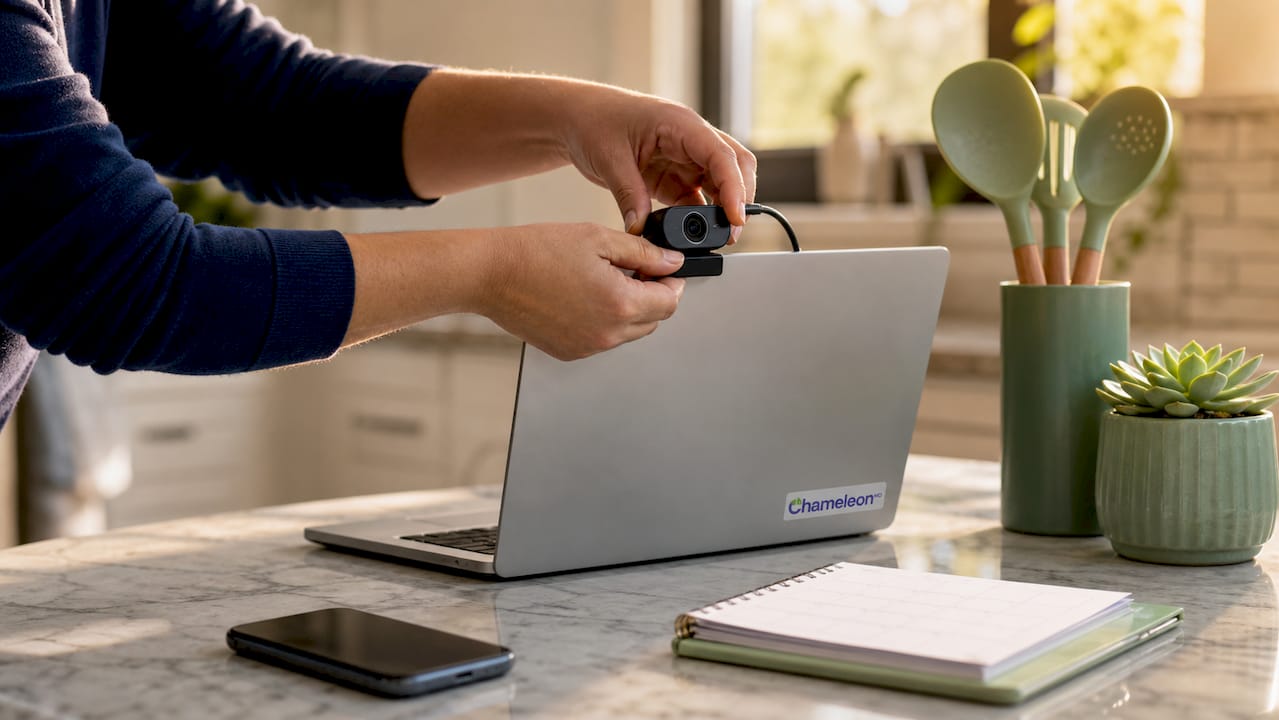
You need a smartphone, tablet, or computer with a working camera and microphone. A stable internet connection is required for video visits. If your connection is unreliable, a wired ethernet connection or a location with strong Wi-Fi will reduce the risk of dropped calls. Most telehealth platforms also support audio-only visits, so phone-only visits remain a valid option when video is not practical.
Personal and medical information to gather
Before you schedule a telehealth visit, pull together the following:
- Your full name, date of birth, and contact information
- A current list of medications with dosages
- Your primary insurance card (or note that you are paying out of pocket)
- Your preferred pharmacy name and phone number
- A brief written description of your symptoms, including when they started
Preparing a medication list and symptom description ahead of time directly improves the quality of your diagnosis and shortens the consultation. Providers can spend more time on your care and less time collecting basic data.
Creating your account on a patient portal
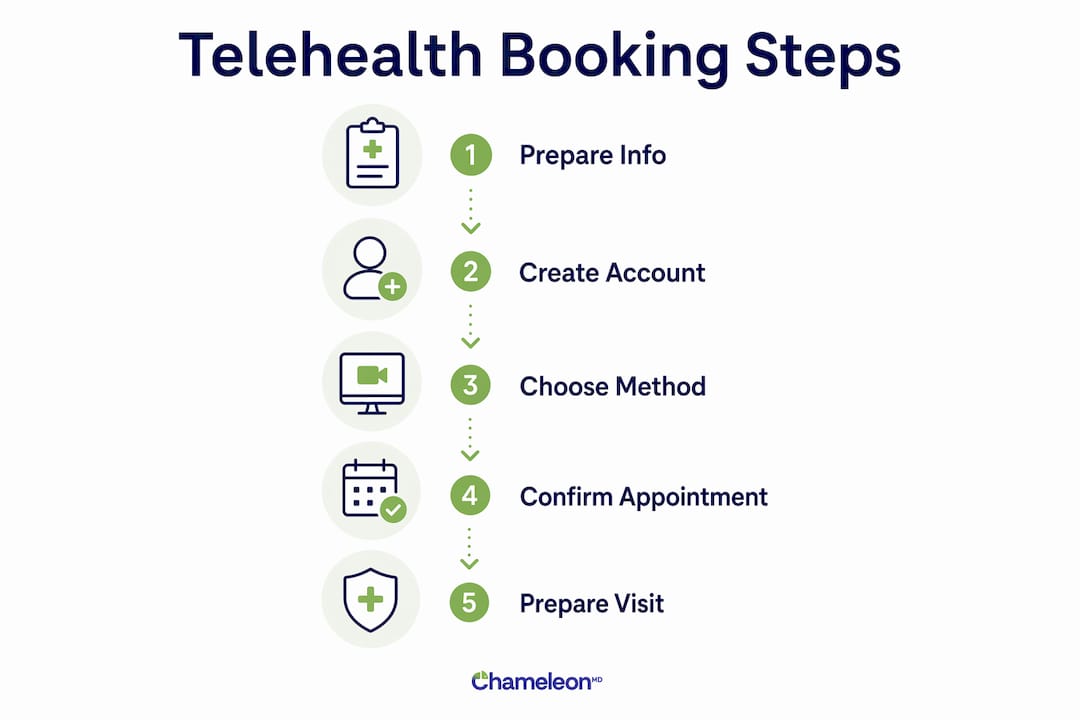
Patient portals like MyChart and FollowMyHealth require a one-time account setup before you can schedule. You will need a valid email address and, in most cases, a date of birth for identity verification. Telehealth booking portals often integrate with electronic health records, which means your appointment history, prescriptions, and lab results all live in one place once you are set up.
Pro Tip: Have your pharmacy name, address, and phone number saved on your phone before you start the booking process. Providers often send prescriptions electronically during the visit, and you will be asked for this information in real time.
How do you book a telehealth appointment step by step?
Multiple booking paths exist for scheduling a telehealth visit, and the right one depends on whether you have an existing provider, insurance coverage, or neither. Here are the three most reliable methods.
-
Call your doctor’s office directly. Ask specifically for a telehealth or virtual visit. Confirm whether the appointment will be video or audio only. Request the link or call-in number at the time of booking, not the day of the visit.
-
Use a patient portal. Log into MyChart, FollowMyHealth, or your provider’s dedicated portal. Select “Schedule Appointment,” then filter for telehealth or virtual visit options. Choose your preferred date, time, and visit type. You will receive a confirmation email with your video link.
-
Use Medicare.gov’s provider search tool. If you are on Medicare, the Medicare.gov telehealth finder lets you search for participating providers by specialty and location. Select a provider, confirm telehealth availability, and follow the booking steps on their linked portal.
For booking an online doctor appointment without an existing provider, platforms like Chameleonhc offer direct scheduling with no referral or insurance required. You can find and book a licensed provider for common conditions like sore throat, rashes, and sinus infections in minutes.
Telehealth platforms send appointment reminders by email and text 24 hours and 15 minutes before your visit. That two-step reminder system means you are unlikely to miss the appointment or lose your video link.
Comparing the three main booking methods
| Method | Best For | Main Advantage | Watch Out For |
|---|---|---|---|
| Call your doctor’s office | Established patients | Direct provider relationship | Hold times and limited slots |
| Patient portal (MyChart, FollowMyHealth) | Patients with existing records | Integrated health records and reminders | Requires account setup first |
| Medicare.gov provider search | Medicare beneficiaries | Verified coverage and provider list | Fewer same-day options |
| Direct platform (e.g., Chameleonhc) | Uninsured or new patients | No insurance needed, same-day access | No long-term record continuity |
How to prepare on the day of your telehealth visit
The day of your appointment is not the time to test your camera for the first time. A few simple steps before you log in will protect your time and your provider’s.
- Log in 10–15 minutes early. Health authorities recommend logging in 15 minutes before your visit to catch and fix any technical issues before the appointment starts.
- Test your camera, microphone, and speakers. Most platforms include a pre-visit tech check. Run it every time, even if your device worked fine last week.
- Choose a quiet, private space. Background noise and interruptions affect the quality of your consultation. A closed room with good lighting works best.
- Face a light source. Facing a light source and keeping your camera at eye level gives your provider a clear view of your face and any visible symptoms. A window in front of you, not behind you, is ideal.
- Have your notes ready. Write down your symptoms, when they started, and any questions you want to ask. Preparing questions ahead of time maximizes the value of a 15–30 minute session.
- Keep a backup phone nearby. If your video connection drops, your provider can switch to a phone call instantly to keep the appointment on track.
Treating a telehealth visit with the same seriousness as an in-person appointment improves outcomes. That means dressing appropriately, being on time, and minimizing distractions.
Pro Tip: If you need to show a rash, wound, or swollen area on video, practice holding your phone or device steady at the right angle before the call. Good lighting and a stable image help your provider make a faster, more accurate assessment.
For parents managing care for the whole family, same-day online doctor visits remove the scheduling friction that often delays treatment.
What should you do if something goes wrong?
Technical problems during a telehealth visit are common. Knowing how to respond quickly keeps your appointment from falling apart.
- Did not receive your video link? Check your spam or junk folder first. If it is not there, call the provider’s office directly and ask them to resend the confirmation. Do this at least 30 minutes before your appointment, not at the start time.
- Video connection drops mid-call? Do not close the app. Refresh the page or reopen the link. If the connection does not restore within 60 seconds, call the provider’s office phone number and let them know you are switching to audio.
- Audio is cutting out? Move closer to your router, close other apps running in the background, and ask the other party to confirm whether the issue is on their end.
- Appointment is delayed or rescheduled? Most platforms send an automated notification. If you do not hear anything within 10 minutes of your scheduled time, contact the support line listed in your confirmation email.
- Not sure who to call for help? Your confirmation email should include a patient support number. Telehealth.HHS.gov also maintains a public resource page for patients experiencing technical difficulties.
Having a backup phone ready is the single most effective way to prevent a failed video call from canceling your appointment entirely. Clinicians can switch to audio in seconds when a backup number is on file.
If you are navigating care without insurance, telehealth without insurance coverage is a practical option that more providers now support directly.
Key takeaways
Booking a telehealth appointment requires the right platform, prepared information, and a tested device to get the most from your virtual visit.
| Point | Details |
|---|---|
| Choose your booking method | Use a patient portal, call your provider, or book directly through a platform like Chameleonhc. |
| Prepare before you schedule | Gather your medication list, symptom notes, and pharmacy info before starting the booking process. |
| Log in early on appointment day | Connect 10–15 minutes before your visit to test your camera, microphone, and internet connection. |
| Set up your environment | Choose a quiet, well-lit space and face a light source to help your provider see you clearly. |
| Have a backup plan ready | Keep a phone nearby so you can switch to audio instantly if your video connection fails. |
What i’ve learned about patients who get the most from telehealth
Most people who struggle with telehealth visits are not dealing with a technology problem. They are dealing with a preparation problem. The patients who get the most out of a 15–30 minute virtual session are the ones who show up with written notes, a clear symptom timeline, and a specific question they want answered. The ones who log in cold, without any of that, often leave feeling like the visit was too short.
The other mistake I see regularly is treating the telehealth appointment as a lower-stakes version of an in-person visit. It is not. Your provider has the same clinical responsibility in both settings. The difference is that in a virtual visit, you control the environment. A noisy room, a backlit camera, and a dead phone battery are all within your power to fix before the call starts.
One thing that surprises people: new patient intake adds 10–15 minutes for history review on top of the consultation itself. If you are a new patient, build that time into your schedule. Do not book a telehealth visit 20 minutes before another commitment.
The technology is reliable when you treat it that way. Log in early, test your setup, and write down what you need to say. That is the entire formula for a productive virtual visit.
— Vector
Get care today with Chameleonhc
Chameleonhc makes the telehealth appointment process as simple as it should be. You can connect with a licensed provider from your phone or computer, with no insurance required and no waiting room involved.
Whether you are dealing with a sore throat, a sinus infection, low back pain, or pink eye, Chameleonhc offers same-day access to real clinical care at clear, upfront prices. The platform covers urgent care, primary care, and membership options so you can choose the level of support that fits your life. Explore virtual care plans and book your first visit today at Chameleonhc.
FAQ
What is telehealth booking?
Telehealth booking is the process of scheduling a remote medical appointment with a licensed provider using a phone, tablet, or computer. You can book through a patient portal, by calling your provider’s office, or through a direct telehealth platform.
How long does a telehealth appointment take?
Most telehealth appointments last 15–30 minutes. New patients should expect an additional 10–15 minutes for intake and medical history review.
Do i need video for a telehealth visit?
No. Not all telehealth appointments require video. Phone-only visits are available on most platforms and may be appropriate depending on your health concern.
What if my video connection fails during the appointment?
Keep a phone nearby and call your provider’s office directly to switch to an audio visit. Having a backup phone ready prevents a dropped connection from canceling your appointment entirely.
Does medicare cover telehealth appointments?
Medicare does cover many telehealth services. You can use the Medicare telehealth coverage tools on Medicare.gov to find participating providers and confirm what your plan includes before booking.